> ## Documentation Index
> Fetch the complete documentation index at: https://www.edgee.ai/docs/llms.txt
> Use this file to discover all available pages before exploring further.
# Observability
> Track every request, measure every token, optimize every dollar.
Measuring every token, every request, every compression event, every routing decision, at session level locally and at team level in the managed Edgee console.
## In the Edgee Console
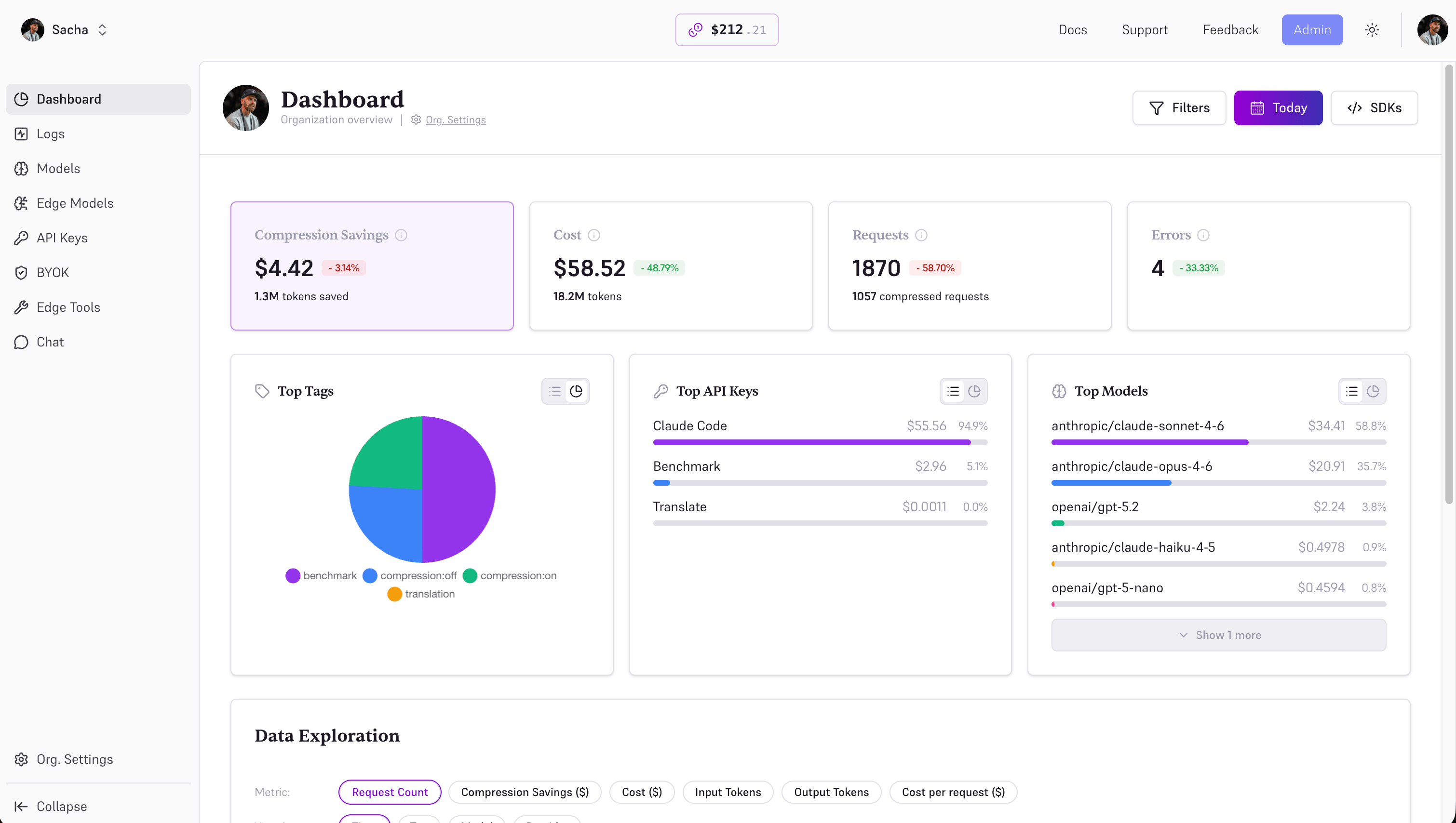
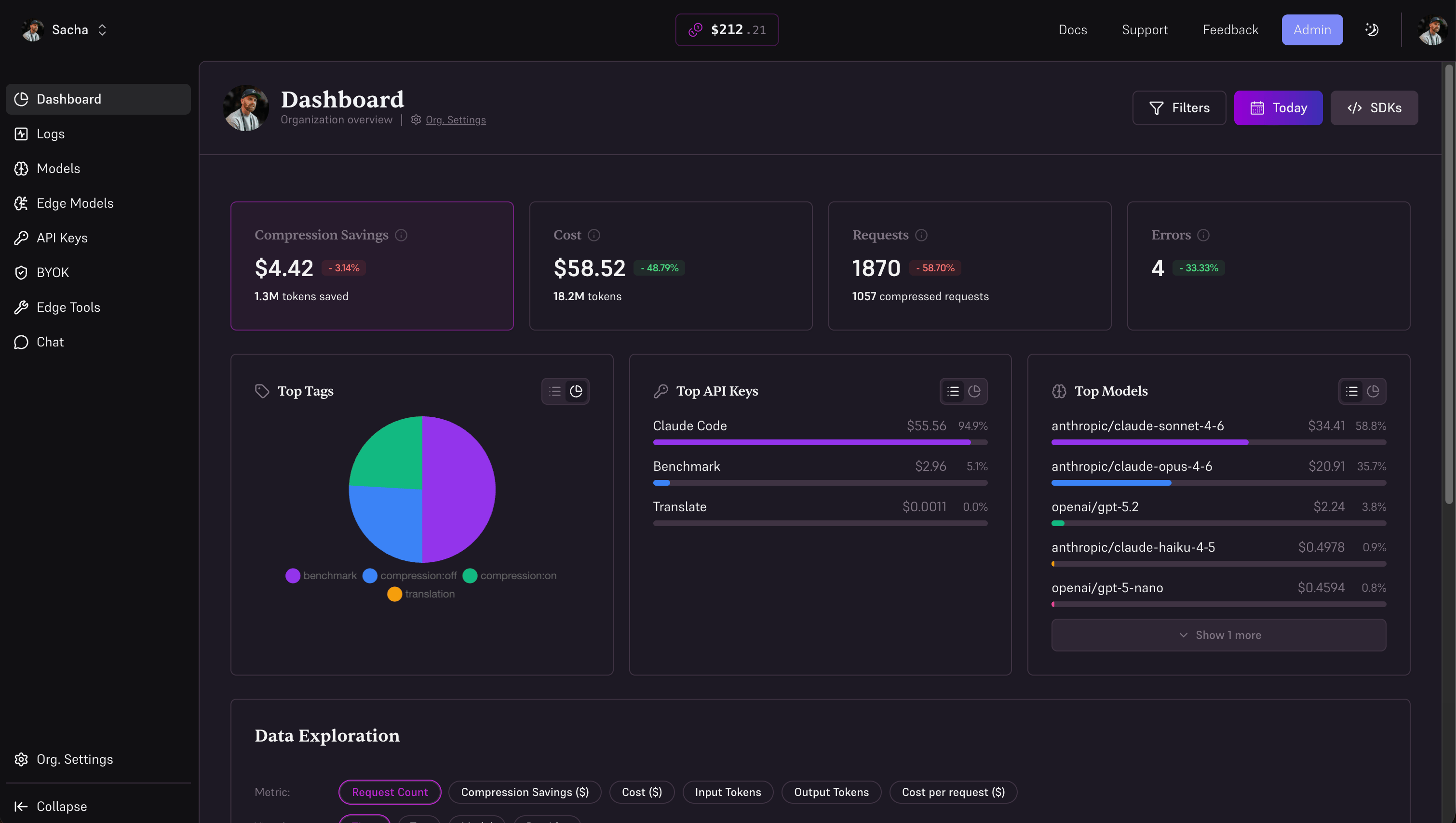
The Edgee Console aggregates costs, token usage, compression savings, performance, and errors across every request that flows through the gateway.
### Dashboard
The dashboard regroups everything in one place: costs, token usage, compression savings, performance, and errors.
 ### Logs
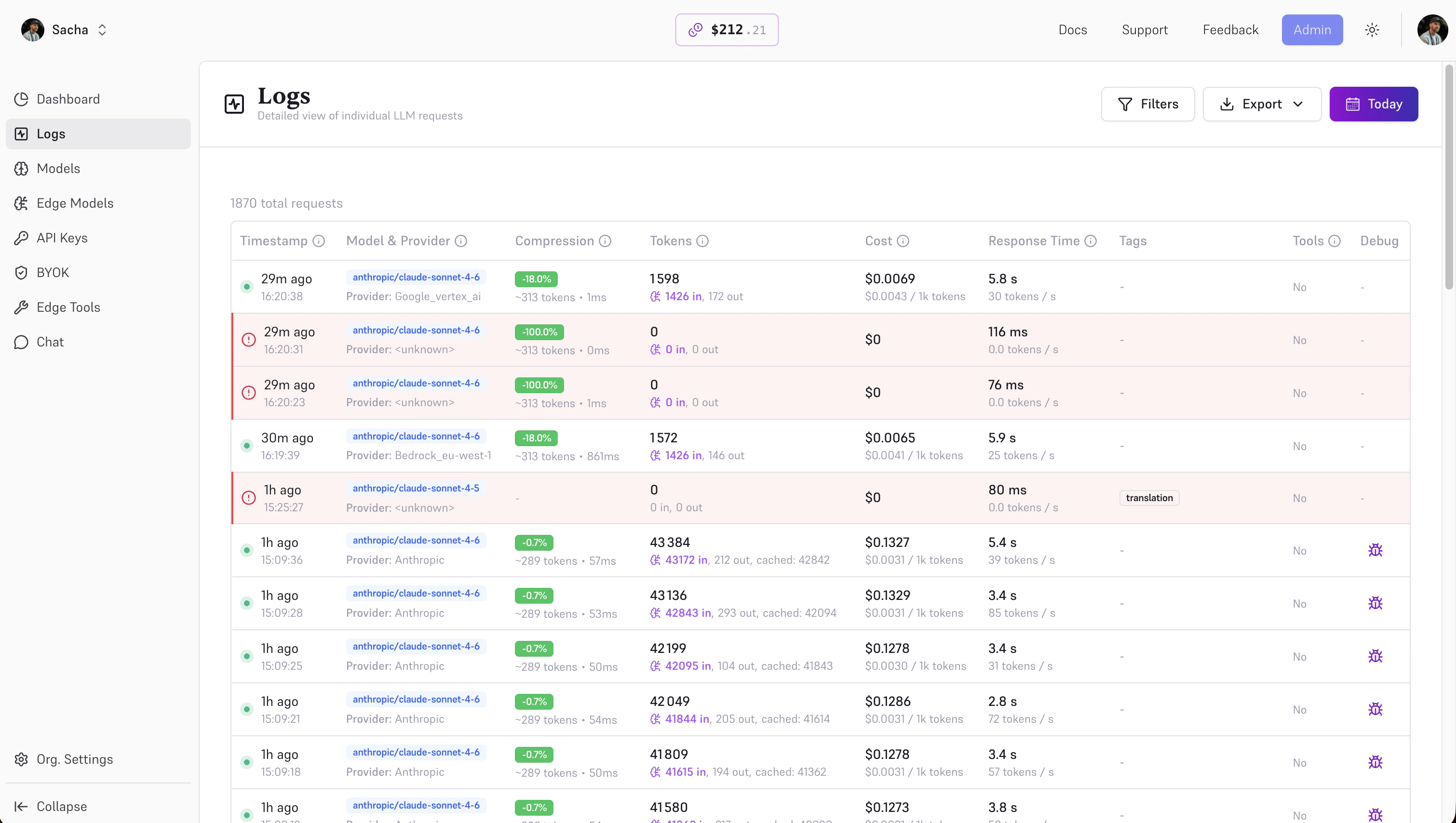
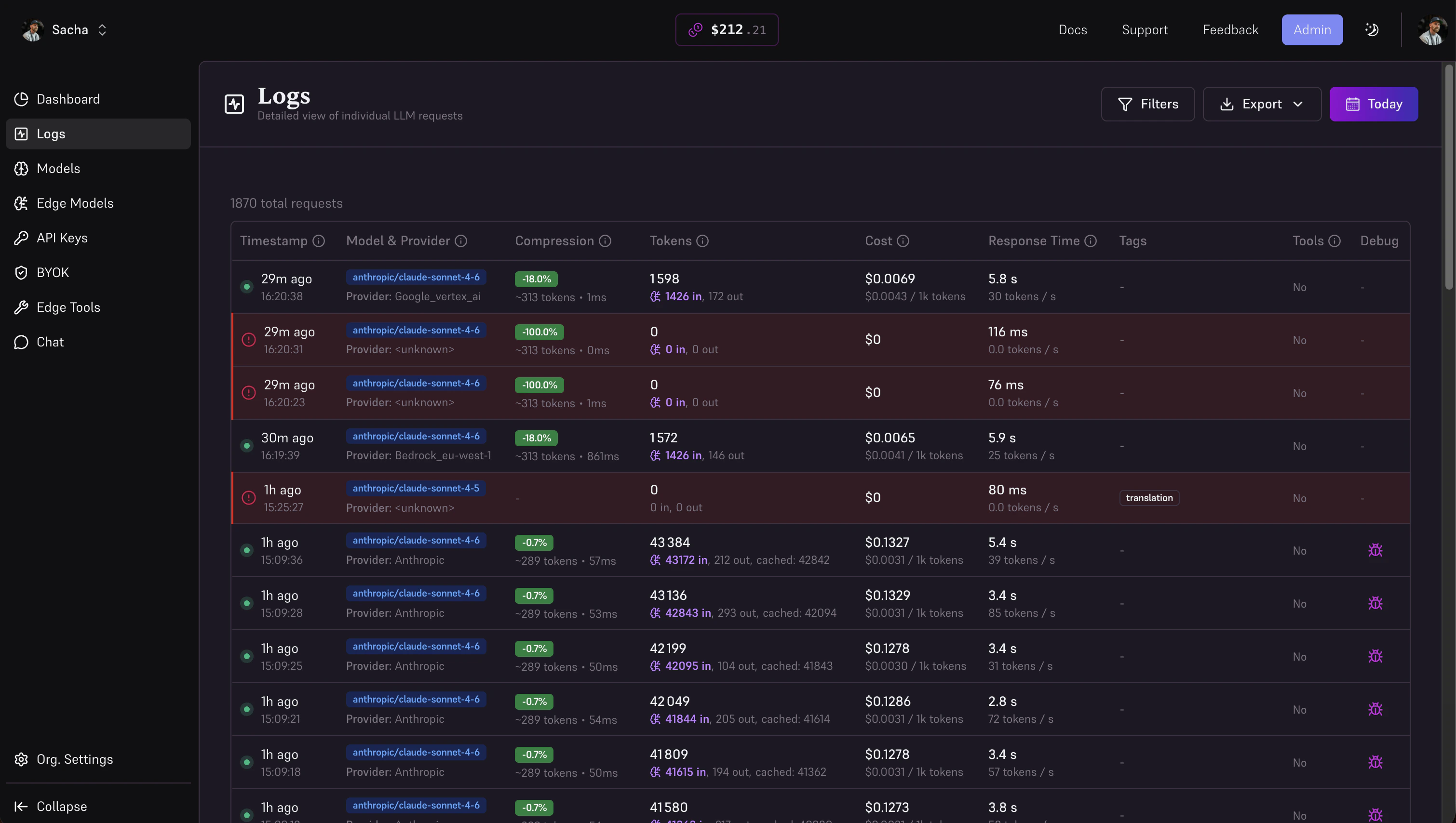
The Logs page lists every request — model, provider, tokens, cost, compression delta, latency, errors. Click into a row to inspect the full request and response payload (when [Debug mode](/docs/features/debug) is enabled on that key).
### Logs
The Logs page lists every request — model, provider, tokens, cost, compression delta, latency, errors. Click into a row to inspect the full request and response payload (when [Debug mode](/docs/features/debug) is enabled on that key).
 ## With our SDKs
### Token Usage Tracking
Every Edgee response includes detailed token usage information for tracking and cost analysis:
```typescript theme={"dark"}
const response = await edgee.send({
model: 'gpt-5.2',
input: 'Your prompt here',
});
console.log(response.usage.prompt_tokens); // Compressed input tokens
console.log(response.usage.completion_tokens); // Output tokens
console.log(response.usage.total_tokens); // Total for billing
// Compression savings (when applied)
if (response.compression) {
console.log(response.compression.saved_tokens); // Tokens saved by compression
console.log(response.compression.cost_savings); // Cost savings in micro-units (e.g. 27000 = $0.027)
console.log(response.compression.reduction); // Percentage reduction (e.g. 48 = 48%)
console.log(response.compression.time_ms); // Time taken for compression in milliseconds
}
```
**Track usage by:**
* Model (GPT-5.2 vs Claude vs Gemini)
* Project or application
* Environment (production vs staging)
* User or tenant (for multi-tenant apps)
* Time period (daily, weekly, monthly)
Use token usage data with provider pricing to calculate costs. The Edgee dashboard automatically calculates costs based on real-time provider pricing.
### Request Tags for Analytics
Tags allow you to categorize and label requests for filtering and grouping in your analytics dashboard. Add tags to track requests by environment, feature, user, team, or any custom dimension.
**Using tags in native SDKs:**
```typescript theme={"dark"}
import Edgee from 'edgee';
const edgee = new Edgee("your-api-key");
const response = await edgee.send({
model: 'gpt-5.2',
input: {
messages: [{ role: 'user', content: 'Hello!' }],
tags: ['production', 'chat-feature', 'user-123', 'team-backend']
}
});
```
```python theme={"dark"}
from edgee import Edgee, InputObject, Message
edgee = Edgee("your-api-key")
response = edgee.send(
model="gpt-5.2",
input=InputObject(
messages=[Message(role="user", content="Hello!")],
tags=["production", "chat-feature", "user-123", "team-backend"]
)
)
```
```go theme={"dark"}
import "github.com/edgee-ai/go-sdk/edgee"
client, _ := edgee.NewClient("your-api-key")
response, err := client.Send("gpt-5.2", edgee.InputObject{
Messages: []edgee.Message{
{Role: "user", Content: "Hello!"},
},
Tags: []string{"production", "chat-feature", "user-123", "team-backend"},
})
```
```rust theme={"dark"}
use edgee::{Edgee, InputObject, Message};
let client = Edgee::from_env()?;
let input = InputObject::new(vec![Message::user("Hello!")])
.with_tags(vec![
"production".to_string(),
"chat-feature".to_string(),
"user-123".to_string(),
"team-backend".to_string(),
]);
let response = client.send("gpt-5.2", input).await?;
```
**Using tags with OpenAI/Anthropic SDKs via headers:**
If you're using the OpenAI or Anthropic SDKs with Edgee, add tags via the `x-edgee-tags` header (comma-separated):
```typescript theme={"dark"}
import OpenAI from "openai";
const openai = new OpenAI({
baseURL: "https://edgee.io/v1",
apiKey: process.env.EDGEE_API_KEY,
defaultHeaders: {
"x-edgee-tags": "production,chat-feature,user-123,team-backend"
}
});
```
```python theme={"dark"}
from anthropic import Anthropic
client = Anthropic(
base_url="https://edgee.io/v1",
api_key=os.environ.get("EDGEE_API_KEY"),
default_headers={
"x-edgee-tags": "production,chat-feature,user-123,team-backend"
}
)
```
**Common tagging strategies:**
**Environment tagging**
Tag by environment: `production`, `staging`, `development`
**Feature tagging**
Tag by feature: `chat`, `summarization`, `code-generation`, `rag-qa`
**User/tenant tagging**
Track per-user or per-tenant usage: `user-123`, `tenant-acme`, `customer-xyz`
**Team tagging**
Organize by team: `team-backend`, `team-frontend`, `team-data`
Use tags consistently across your application to enable powerful filtering and cost attribution in your analytics dashboard. You can filter by multiple tags to drill down into specific segments (e.g., "production + chat-feature + team-backend").
### Compression Metrics
See exactly how much token compression is saving you on every request:
```typescript theme={"dark"}
const response = await edgee.send({
model: 'gpt-5.2',
input: 'Long prompt with lots of context...',
compression_model: "claude",
});
// Compression details
if (response.compression) {
console.log(response.compression.saved_tokens); // Tokens saved
console.log(response.compression.cost_savings); // Cost savings in micro-units (e.g. 27000 = $0.027)
console.log(response.compression.reduction); // Percentage reduction (e.g. 48 = 48%)
console.log(response.compression.time_ms); // Time taken for compression in milliseconds
}
```
## With our SDKs
### Token Usage Tracking
Every Edgee response includes detailed token usage information for tracking and cost analysis:
```typescript theme={"dark"}
const response = await edgee.send({
model: 'gpt-5.2',
input: 'Your prompt here',
});
console.log(response.usage.prompt_tokens); // Compressed input tokens
console.log(response.usage.completion_tokens); // Output tokens
console.log(response.usage.total_tokens); // Total for billing
// Compression savings (when applied)
if (response.compression) {
console.log(response.compression.saved_tokens); // Tokens saved by compression
console.log(response.compression.cost_savings); // Cost savings in micro-units (e.g. 27000 = $0.027)
console.log(response.compression.reduction); // Percentage reduction (e.g. 48 = 48%)
console.log(response.compression.time_ms); // Time taken for compression in milliseconds
}
```
**Track usage by:**
* Model (GPT-5.2 vs Claude vs Gemini)
* Project or application
* Environment (production vs staging)
* User or tenant (for multi-tenant apps)
* Time period (daily, weekly, monthly)
Use token usage data with provider pricing to calculate costs. The Edgee dashboard automatically calculates costs based on real-time provider pricing.
### Request Tags for Analytics
Tags allow you to categorize and label requests for filtering and grouping in your analytics dashboard. Add tags to track requests by environment, feature, user, team, or any custom dimension.
**Using tags in native SDKs:**
```typescript theme={"dark"}
import Edgee from 'edgee';
const edgee = new Edgee("your-api-key");
const response = await edgee.send({
model: 'gpt-5.2',
input: {
messages: [{ role: 'user', content: 'Hello!' }],
tags: ['production', 'chat-feature', 'user-123', 'team-backend']
}
});
```
```python theme={"dark"}
from edgee import Edgee, InputObject, Message
edgee = Edgee("your-api-key")
response = edgee.send(
model="gpt-5.2",
input=InputObject(
messages=[Message(role="user", content="Hello!")],
tags=["production", "chat-feature", "user-123", "team-backend"]
)
)
```
```go theme={"dark"}
import "github.com/edgee-ai/go-sdk/edgee"
client, _ := edgee.NewClient("your-api-key")
response, err := client.Send("gpt-5.2", edgee.InputObject{
Messages: []edgee.Message{
{Role: "user", Content: "Hello!"},
},
Tags: []string{"production", "chat-feature", "user-123", "team-backend"},
})
```
```rust theme={"dark"}
use edgee::{Edgee, InputObject, Message};
let client = Edgee::from_env()?;
let input = InputObject::new(vec![Message::user("Hello!")])
.with_tags(vec![
"production".to_string(),
"chat-feature".to_string(),
"user-123".to_string(),
"team-backend".to_string(),
]);
let response = client.send("gpt-5.2", input).await?;
```
**Using tags with OpenAI/Anthropic SDKs via headers:**
If you're using the OpenAI or Anthropic SDKs with Edgee, add tags via the `x-edgee-tags` header (comma-separated):
```typescript theme={"dark"}
import OpenAI from "openai";
const openai = new OpenAI({
baseURL: "https://edgee.io/v1",
apiKey: process.env.EDGEE_API_KEY,
defaultHeaders: {
"x-edgee-tags": "production,chat-feature,user-123,team-backend"
}
});
```
```python theme={"dark"}
from anthropic import Anthropic
client = Anthropic(
base_url="https://edgee.io/v1",
api_key=os.environ.get("EDGEE_API_KEY"),
default_headers={
"x-edgee-tags": "production,chat-feature,user-123,team-backend"
}
)
```
**Common tagging strategies:**
**Environment tagging**
Tag by environment: `production`, `staging`, `development`
**Feature tagging**
Tag by feature: `chat`, `summarization`, `code-generation`, `rag-qa`
**User/tenant tagging**
Track per-user or per-tenant usage: `user-123`, `tenant-acme`, `customer-xyz`
**Team tagging**
Organize by team: `team-backend`, `team-frontend`, `team-data`
Use tags consistently across your application to enable powerful filtering and cost attribution in your analytics dashboard. You can filter by multiple tags to drill down into specific segments (e.g., "production + chat-feature + team-backend").
### Compression Metrics
See exactly how much token compression is saving you on every request:
```typescript theme={"dark"}
const response = await edgee.send({
model: 'gpt-5.2',
input: 'Long prompt with lots of context...',
compression_model: "claude",
});
// Compression details
if (response.compression) {
console.log(response.compression.saved_tokens); // Tokens saved
console.log(response.compression.cost_savings); // Cost savings in micro-units (e.g. 27000 = $0.027)
console.log(response.compression.reduction); // Percentage reduction (e.g. 48 = 48%)
console.log(response.compression.time_ms); // Time taken for compression in milliseconds
}
```