Edgee Setup Overviewew
Integrating Edgee with Vercel involves three steps:- Get your Vercel project domain
- Configure Edgee to point to your Vercel domain
- Ensure routing settings are correctly configured
Step 1: Get Your Vercel Domain
- Log in to your Vercel dashboard.
-
Copy your project’s default domain (e.g.,
myapp.vercel.appornextjs-boilerplate-abc1234.vercel.app).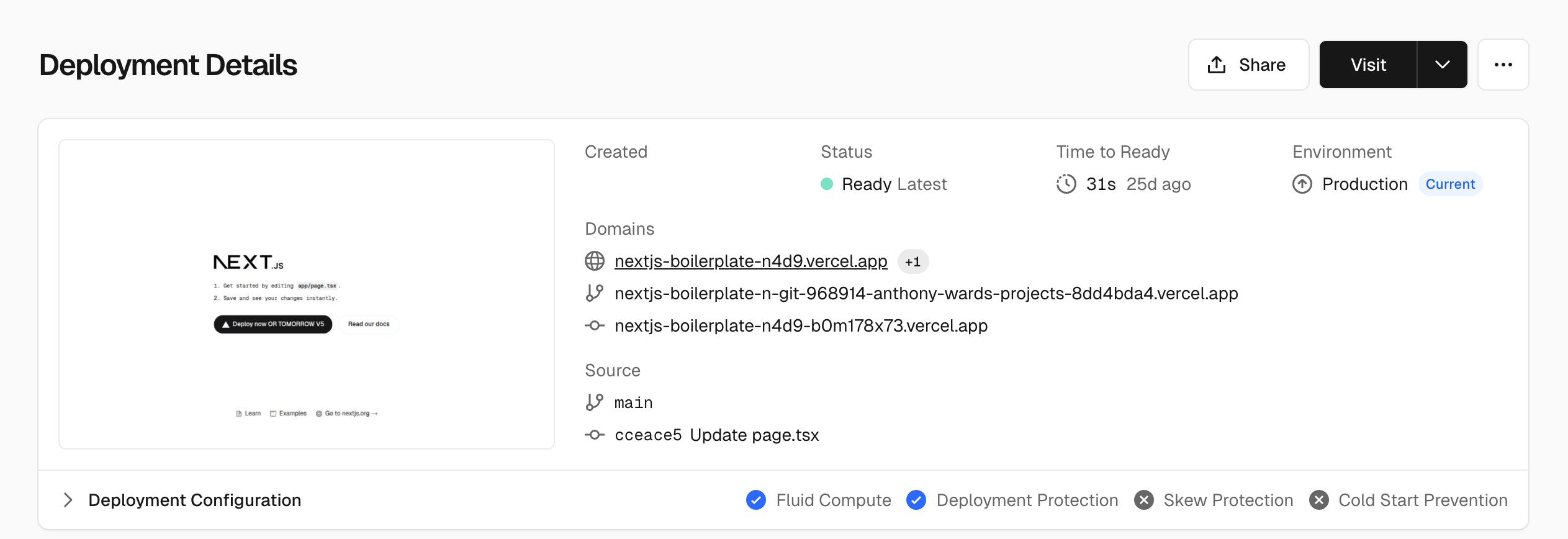
Step 2: Configure Edgee Routing
- Log in to your Edgee dashboard.
- Navigate to Project Settings → Routing.
-
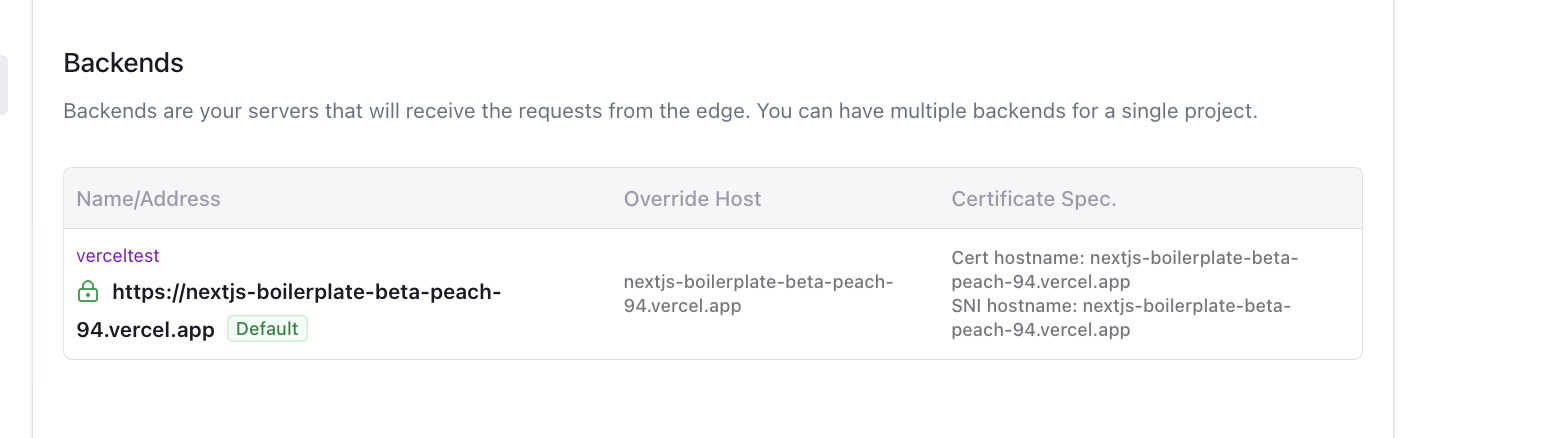
Click Create New Route and configure the following:
- Configure Origin URL, Host Override, SNI, and Cert Hostname with the same
.vercel.appdomain (e.g.nextjs-boilerplate-abc1234.vercel.app).
- Configure Origin URL, Host Override, SNI, and Cert Hostname with the same
-
Click Save and Activate to apply your routing configuration.