








Coding agents and Agentic frameworks (Claude Code, Codex, OpenCode, Cursor, OpenClaw…) are uniquely token-hungry. First, the tools declarations add up. Every MCP server connected, every skill registered, every tool definition, always on, regardless of the task. The model receives the union of everything it could call, even when 95% of those tools are irrelevant to the request at hand. Then, every file read, grep result, shell output, and API response lands in the context window as aDocumentation Index
Fetch the complete documentation index at: https://www.edgee.ai/docs/llms.txt
Use this file to discover all available pages before exploring further.
tool_result, and those payloads add up fast.
A single Claude Code session can consume tens of thousands of tokens just from tool declarations and results.
And finally, the model’s responses add up. Filler, repetitive scaffolding, polite preambles, over-explanation, markdown overhead.
As a Gateway, Edgee have an easy access to all the data that flows through it, and can apply three strategies to compress the context: tool_result_trimming, tool_surface_reduction, and output_brevity.
Token compression
Reducing the number of tokens sent to and received from the LLM, without losing information from the model’s perspective. Compression is the surgical removal of redundancy, not summarization. Our compression strategies can reduce your token costs by up to 50%. Two layers, treated as distinct:- Layer 1: Input compression (~99% of total token volume). What enters the context window: system prompts, tool results, codebase context, conversation history, MCP tool definitions.
- Layer 2: Output compression (~1% of total volume but high ROI). What the model generates: filler, repetitive scaffolding, polite preambles, over-explanation, markdown overhead.
Tool Result Trimming
Filters CLI and tool results before they reach the model. Strips boilerplate, pagination markers, ANSI escape sequences, repeated headers, and verbose framing. Initially based onrtk-ai/rtk, we built our tool result compression strategy directly into the Edgee Rust gateway, so users don’t need a separate binary in their pipeline.
Across real customer traffic, this reduces token costs by 19% on average.
Tool Surface Reduction alpha
Coding agents send a flat tools list to the model on every request: every MCP server connected, every skill registered, every tool definition, always on, regardless of the task. The model receives the union of everything it could call, even when 95% of those tools are irrelevant to the request at hand.
Edgee already sits in the request path with two things: the user prompt and the full tools list. From there, a small classifier model classifies the task, scores each tool by relevance, and strips out unrelated tools and skills before the request hits the primary LLM. The IDE still exposes all MCP servers; the agent still discovers tools through MCP, but the model only ever sees a curated, task-relevant subset.
This feature is in development, and our internal benchmarks show it’ll reduce total token costs by ~25%.
Output Brevity (by Caveman)
Reduces verbosity of model responses without losing technical content. Same answer, fewer tokens. Four levels, picked via config:Across real customer traffic, this reduces total token costs by 6.5% on average.
light— Asks the model to skip pleasantries, articles, and filler, while keeping standard sentence structure. Lowest output reduction, most readable.medium— Forces the model to drop articles, fragments, and conventional grammar in favor of dense technical content.hard— An aggressive variant that pushes output brevity further with stricter instructions. Highest output reduction; least readable for humans, still parseable for downstream tools.
Route
Directing each request to the right LLM provider at the right time, with automatic fallback when something goes wrong.Per-request fallback and retry (hosted-only)
Auto-fallback on provider 5xx and timeouts. Configurable provider chain. Zero downtime from the agent’s perspective.Plan-cap continuity (hosted-only)
When you hit a Claude Pro/Max plan cap, Edgee falls back from the plan-based provider to an API-key-based provider (GLM, alternative model) so the session keeps going instead of hard-stopping. This is the layer no OSS tool currently fills end-to-end: OpenRouter and LiteLLM exist as API proxies, but they don’t serve users on Pro/Max plans (who pay Anthropic by subscription, not by API key).Observe
Comprehensive tracking of every token, request, compression event, and routing decision, across sessions, teams, and even at the GitHub repository or pull request level.Session-level metering
Log of every request, every compression event, every cost delta.Team-level metering and dashboard (hosted-only)
Cross-developer, cross-project, cross-session aggregation in the managed Edgee console. The OSS gateway emits the events; aggregation and visualization are part of the hosted product. Without observability, the other two pillars are flying blind. Compression savings can’t be tuned. Routing decisions can’t be evaluated. Cost-per-feature can’t be computed.The OSS ecosystem we credit
Token efficiency is a serious topic that an active OSS community is solving across multiple angles. We are part of that ecosystem.| Project | Layer | What it does | Link |
|---|---|---|---|
| RTK | Input - tool output | CLI proxy, 60–90% reduction on tool output | rtk-ai/rtk |
| Caveman | Output | 65–75% output verbosity reduction | JuliusBrussee/caveman |
Receipts

Claude Code endurance test
+26.2% more instructions completed on the same Claude Pro plan. 20.8% more efficient per instruction. 5.1% cheaper per task on a cost-adjusted basis. Source:
edgee-ai/claude-compression-lab.
Codex re-read context benchmark
−49.5% fresh input tokens (1.14M → 574K per session). −35.6% total session cost (2.58). Cache hit rate 76% → 85%. Source:
edgee-ai/compression-lab.Where Edgee runs
The Edgee Gateway runs on Fastly compute at the edge, with AWS as a secondary network. Requests are routed to the closest point of presence via Anycast, no configuration required. The gateway is content-aware: it parses tool calls, tool results, and MCP definitions before any compression strategy fires.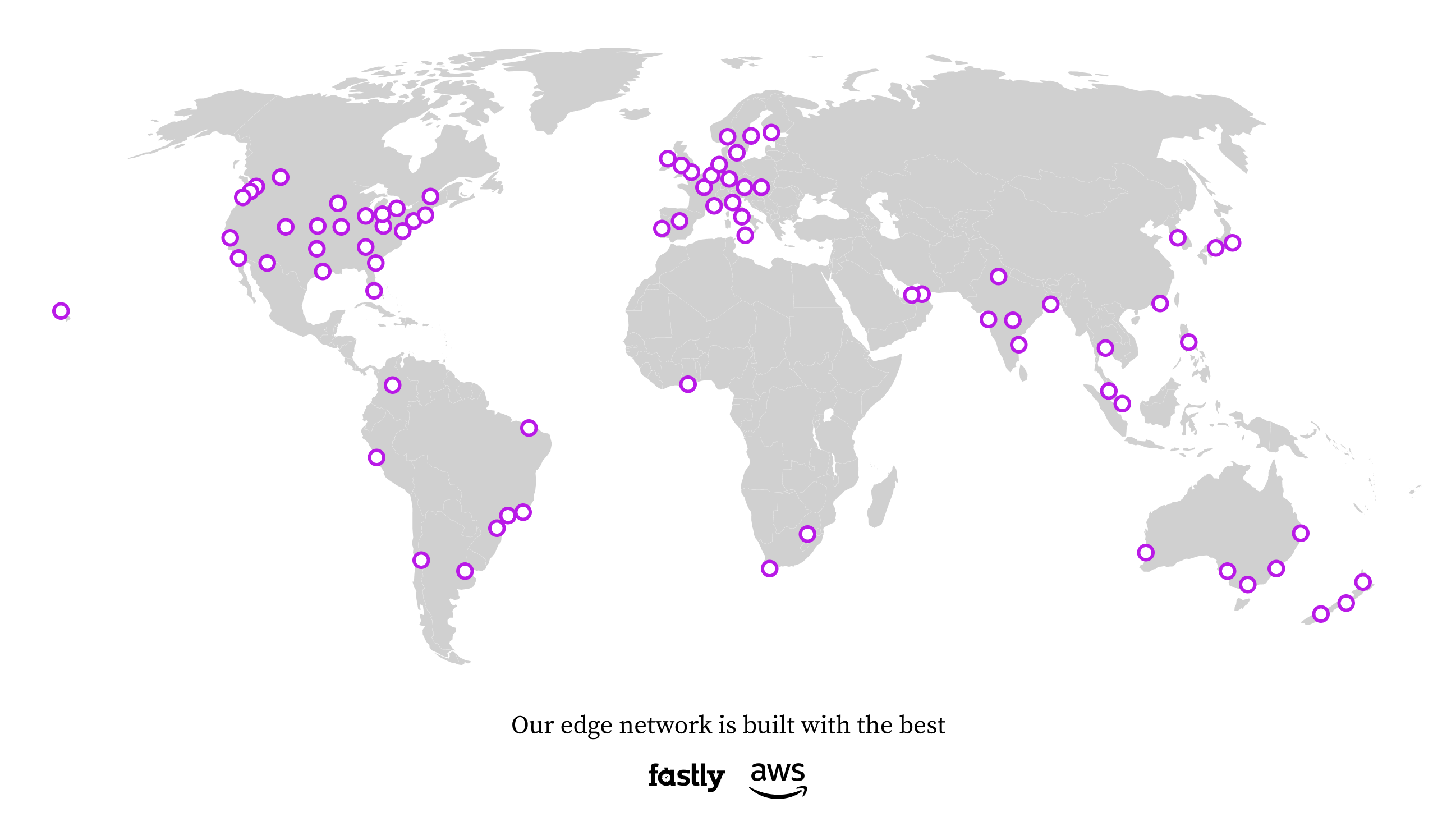
Next
FAQ
Questions we hear most often.
Quickstart
Install the CLI, launch your agent, see the receipts.