

Local demonstration with fictional members and illustrative usage data.
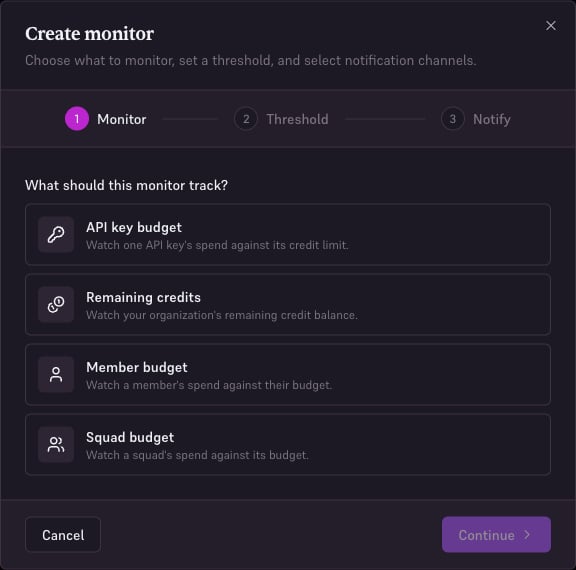
Choose a monitor
Percentage monitors need a usage limit on their scope. A Strategy’s routing budget is separate. Use a remaining-credit monitor if your goal is to watch Edgee credit purchases.
Create a monitor
- Open Alerts → Create monitor.
- In Monitor, choose the type and the relevant key, member, or squad.
- In Threshold, choose the offered budget percentage or enter the minimum remaining balance.
- In Notify, configure the recipients and notification channels.
- Review and save. Find the monitor under Monitors and check that it is enabled.
Notification channels
Open Notifications on the Alerts page to configure organization notification settings. For Slack, create an incoming webhook for the intended channel, enter it in the console, and save. Treat the webhook URL as a secret. Review the email recipients and Slack selection on each monitor. Verify the configured destination before relying on the notification for operational response.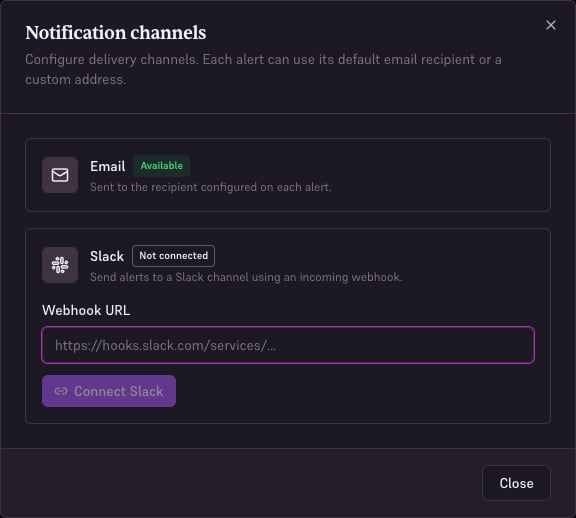
Local demonstration with fictional data.