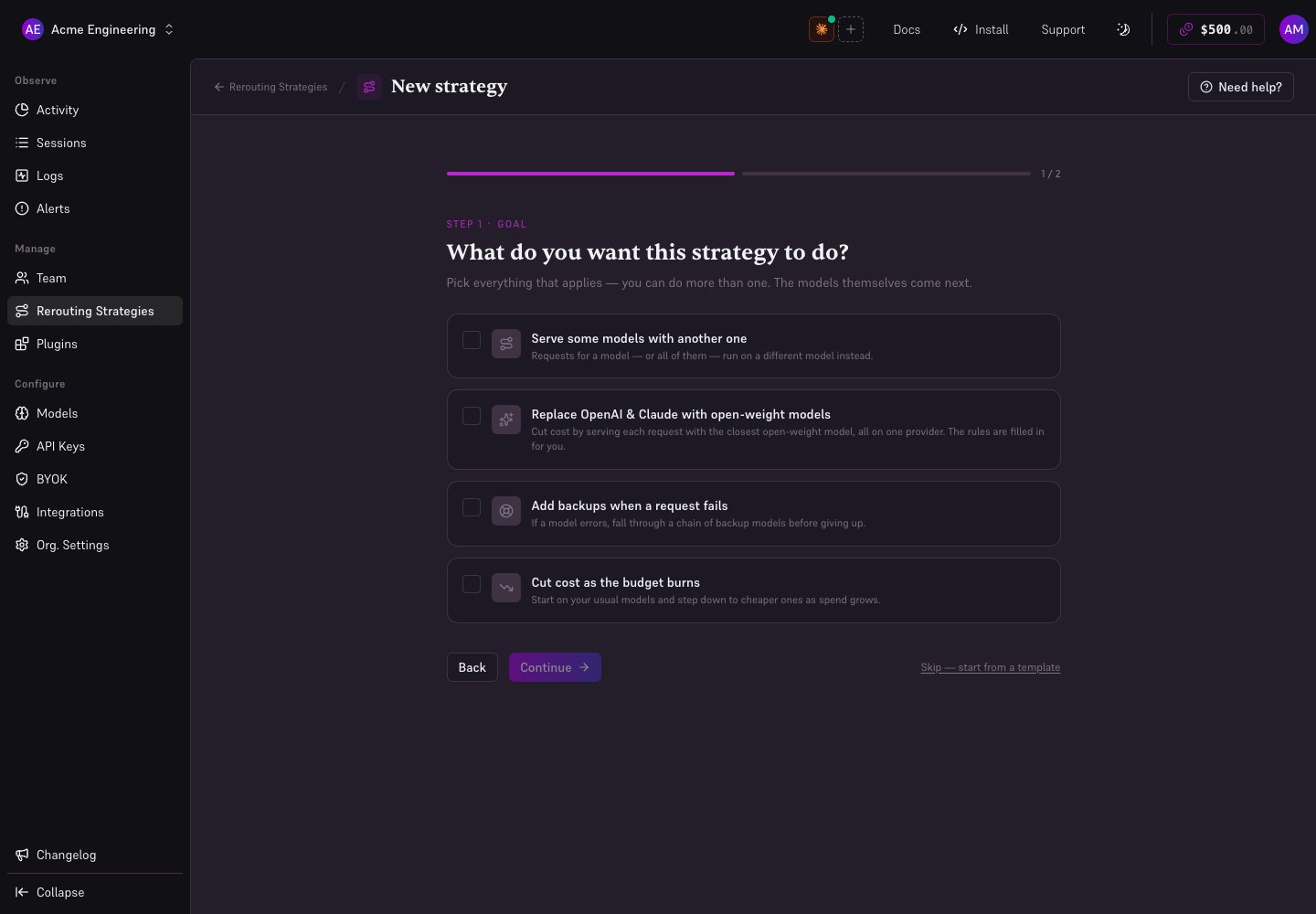
A routing strategy is a named, reusable policy that decides which model serves a request, and which provider serves that model. You build it once and apply it to a scope — your whole organization, a squad, or one coding agent key. Where reroute is a flat list of substitute models, a strategy is a set of rewrite rules that can change as spend accumulates: start on a premium model, move to a cheaper one at 60% of the budget, and optionally stop entirely at 100%.

Two shapes

A strategy is an ordered list of stages, and the number of stages decides what it is. The console labels strategies with these three names in the strategy list. A budget is required whenever thresholds need something to resolve against — that is, for any escalating strategy, and for any strategy that blocks at 100%. A single-stage strategy that never blocks needs no budget.

Rules

Each stage holds an ordered list of rewrite rules. A rule has three parts: Within a stage, the first matching rule wins. A stage with no rules is a pass-through: requests in that stage are served as-is. The provider is a specific endpoint from the model catalog, so region-scoped entries like bedrock_us-east-2 or azure_eastus are valid choices — you are pinning where the model runs, not just which vendor supplies the credentials.

Budgets

A budget is set when you apply the strategy, not on the strategy itself — the same strategy can run against a 50budgetononesquadanda50 budget on one squad and a 500 budget on another. Three things define it: A single coding agent is always shared — there is no per-member distinction for a scope of one.

Stage thresholds

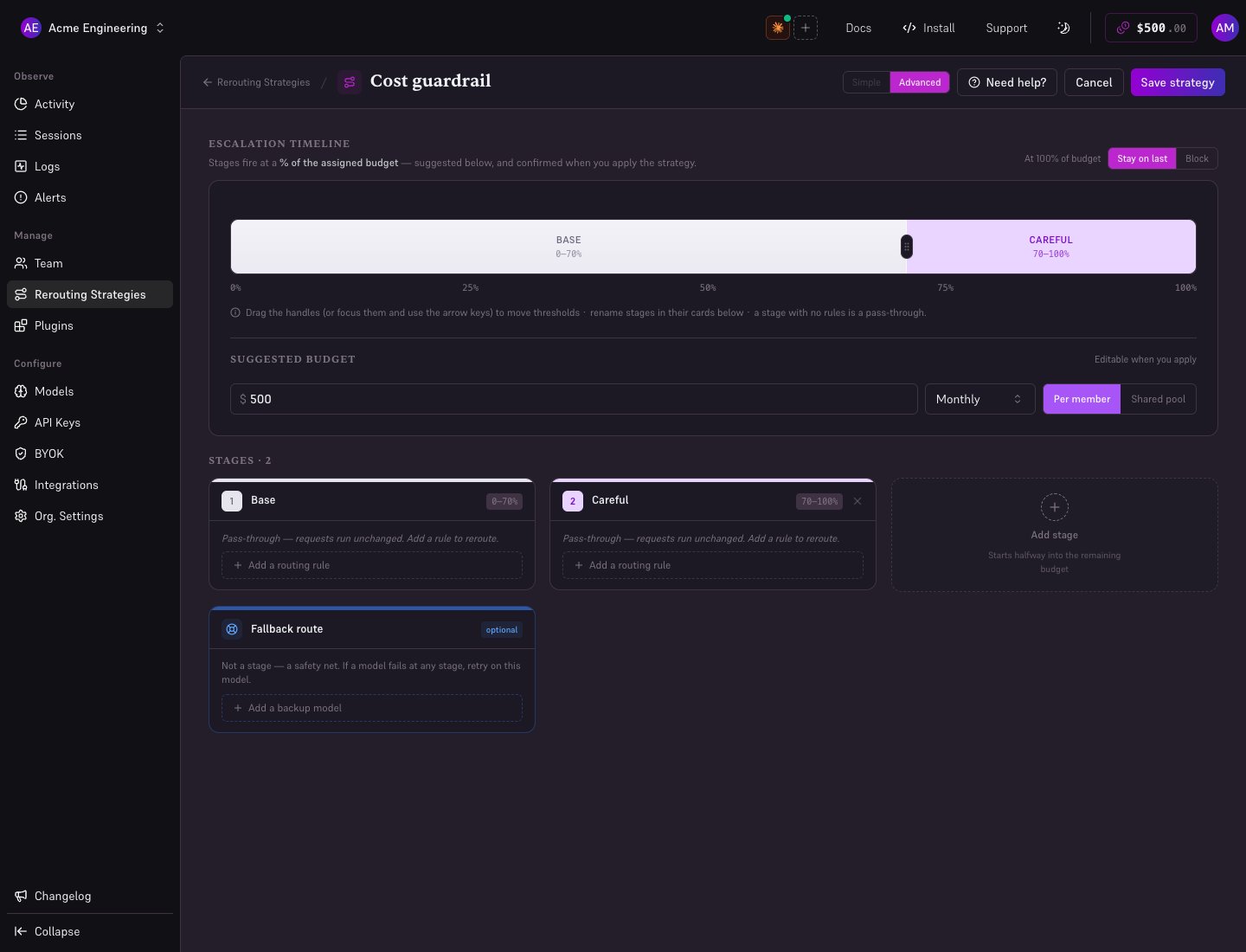
Each stage becomes active at a percentage of the budget. The first stage always starts at 0%, and each subsequent threshold must be higher than the one before it. A stage is in force from its own threshold up to the next stage’s, or to 100% for the last one. A strategy holds up to 5 stages, with thresholds at least 5 percentage points apart and the last one no higher than 98%.

At 100%

Once spend reaches the full budget, a strategy either keeps going or stops: Blocked requests return an HTTP 429 to the agent.

On-error fallback

A strategy can name a single fallback model, and the provider that serves it, used when the staged provider errors after normal retries. This takes over error handling for the scope: while a strategy is in force, a failing request goes to the strategy’s fallback model rather than down the scope’s own fallback chain.

Creating a strategy

Routing strategies are org-wide configuration, so they are admin-only. Non-admins do not see the Strategies section at all.
1

Open Strategies

Click Strategies in the console sidebar, then New strategy.
2

Name it

Give it a name (required, max 100 characters) and an optional description (max 500 characters). Name it for the policy, not the model — cost-controlled, bedrock-only, opus-then-glm.
3

Add rules to the first stage

Pick the model to match (* for everything), the model to route to, and the provider that serves it. The first stage always starts at 0%.
4

Add stages, if you want escalation

Click Add stage. Its threshold lands halfway between the previous stage and 100%, and you can move it along the escalation timeline from there. A new stage starts empty, and an empty stage is a pass-through — give it rules, or requests in that band are served as-is.
5

Choose what happens at 100%

Leave it on stay to keep serving from the last stage, or set Block at 100% to turn the budget into a hard cap.
6

Save

The strategy appears in the list. Saving it does not change any traffic — nothing routes differently until the strategy is applied to a scope.

Applying a strategy

Open a strategy and use its Apply action. Pick the scope, then set the budget it resolves against: Assignments resolve org > squad > key, the same precedence as the rest of the AI Gateway settings: an org-level strategy overrides a squad’s, which overrides a key’s. The apply dialog tells you which strategy a scope currently carries before you replace it.
Assigning a strategy to a scope takes over that scope’s routing: its reroute list is ignored entirely while the strategy is in force, and error handling moves to the strategy’s own fallback model. Removing the assignment restores the previous behavior.
Deleting a strategy clears every assignment that referenced it, and those scopes fall back to their inherited settings.

Monitoring

The Strategies list shows live spend against budget for every scope a strategy is applied to. For a per-member budget, the figure shown is the member closest to escalating — the one whose spend will move the stage next. Individual members can see their own position without admin access: the budget in force for them, the stage currently active, and the model and provider it routes to. Routing decisions land in the logs like any other. Requests served by a strategy are flagged as rerouted, so you can tell at a glance which stage a session was running on — see Observability.

Self-hosted gateways

Strategies work on self-hosted gateways as well as the hosted one. A strategy assigned to your organization is included in the configuration your gateway pulls, so it picks up the same policy on its next refresh — build it once in the console and both deployments route the same way. A malformed strategy is dropped and logged rather than applied, and the key it was attached to keeps serving without it. A bad policy degrades to “no strategy” instead of failing every request on the key.

Next steps

Retry, Fallback & Reroute

The error-driven and unconditional routing that strategies supersede.

Squads

Group members so a strategy can target a team rather than the whole org.