

Choose what to limit
For coding agents, set a limit on a member or squad from Team. A member limit covers that person’s agents together: you do not need to configure each coding-agent key separately. For applications using the LLM Router or SDKs, set a limit on their standard API key from API Keys. These are separate from the coding-agent keys enrolled through the console header.
Every applicable limit must allow the request. For example, with an illustrative $100 monthly member limit and $500 monthly squad limit, a member stops at $100 even if the squad has budget left. If the squad reaches $500 first, its members are blocked even if they remain below their individual limits.
Set and verify a limit
As an administrator, choose the scope below. Amounts are in USD.- Member
- Squad
- Standard API key
- Open Team → Members and find the member.
- In Spending limit, click Set limit or the existing amount.
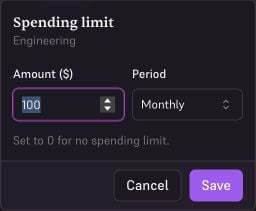
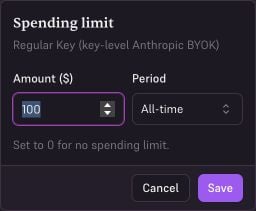
- Enter Amount ($), choose Period, then click Save.
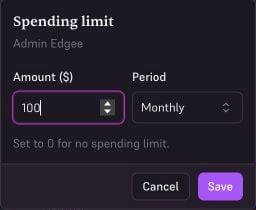
Example member limit: $100 per month across their coding agents.
Periods
Every limit carries a window it is measured over:
New limits default to monthly. A limit of 0 means no limit at all, which is also the default for a scope you have never configured.
Windows are calendar-based in UTC, not rolling. A daily limit resets at midnight UTC regardless of
when the spend happened, so a team spread across time zones shares one reset moment.
What happens at the limit
Requests from a scope that has reached its limit are rejected with an HTTP 429, and the error names which limit tripped — the key’s own limit, or the member/squad cap above it. The calling agent or application receives a rate-limit error for that request. Spend through your own BYOK provider keys counts toward these limits as well. A limit caps what a scope spends, not what Edgee bills for. If usage data is briefly unavailable, requests are allowed through rather than blocked. Limits fail open.Watching a limit before it trips
Set a budget alert on any scope that has a limit, and you get a notification at 50%, 80%, or 100% of it. Member and squad budget alerts are percentages of these limits, so a scope with no limit set has nothing for the alert to measure and the rule stays silent. Members can see their own position — spend so far and the limit in force for them — without needing admin access.Limits vs routing budgets
Routing strategies also carry a budget, and it does a different job:
Choose one at a given scope: a hard usage limit or a strategy. Use Block at 100% when the strategy itself must stop requests. Other applicable scopes can still impose limits.